The platform for associate dentists.
Your work, your pay, your career. All in one place.
- 100% free
- No card, no trial, nothing to cancel
- Demo needs no account
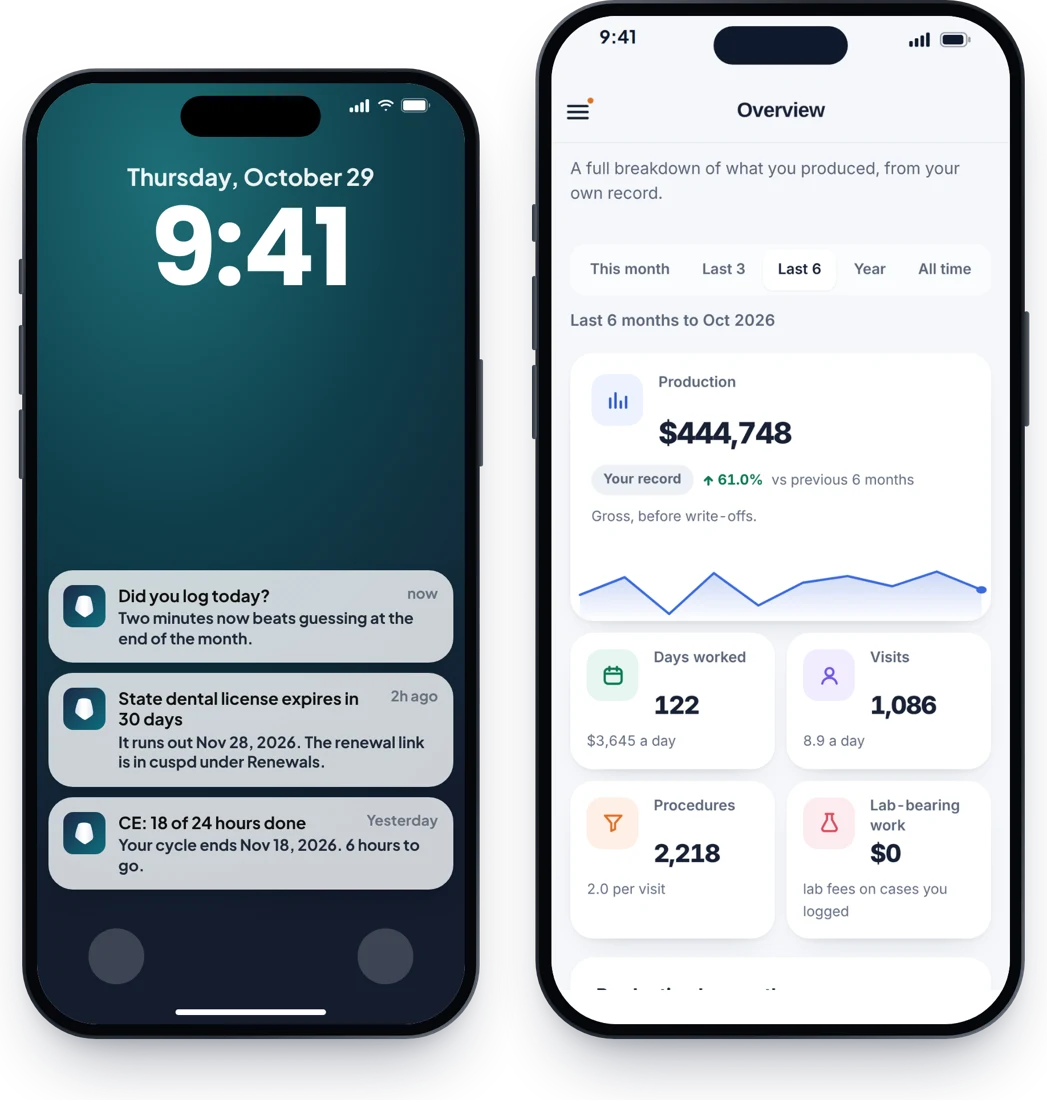
The real app, showing a real associate’s year, anonymised. Press play for a 2½-minute walkthrough.


Every dental platform is built for the owner. Associates need one too.
Practice software, reports and dashboards are made for the people who run the practice. The associate, the one actually doing the dentistry, gets a paycheck and not much else. cuspd is built for your side: your own record of your work, your pay and your career, and it goes with you wherever you work.
Your work
Your pay
One place for your work, your pay and your growth.
Tap through the real app.
Log
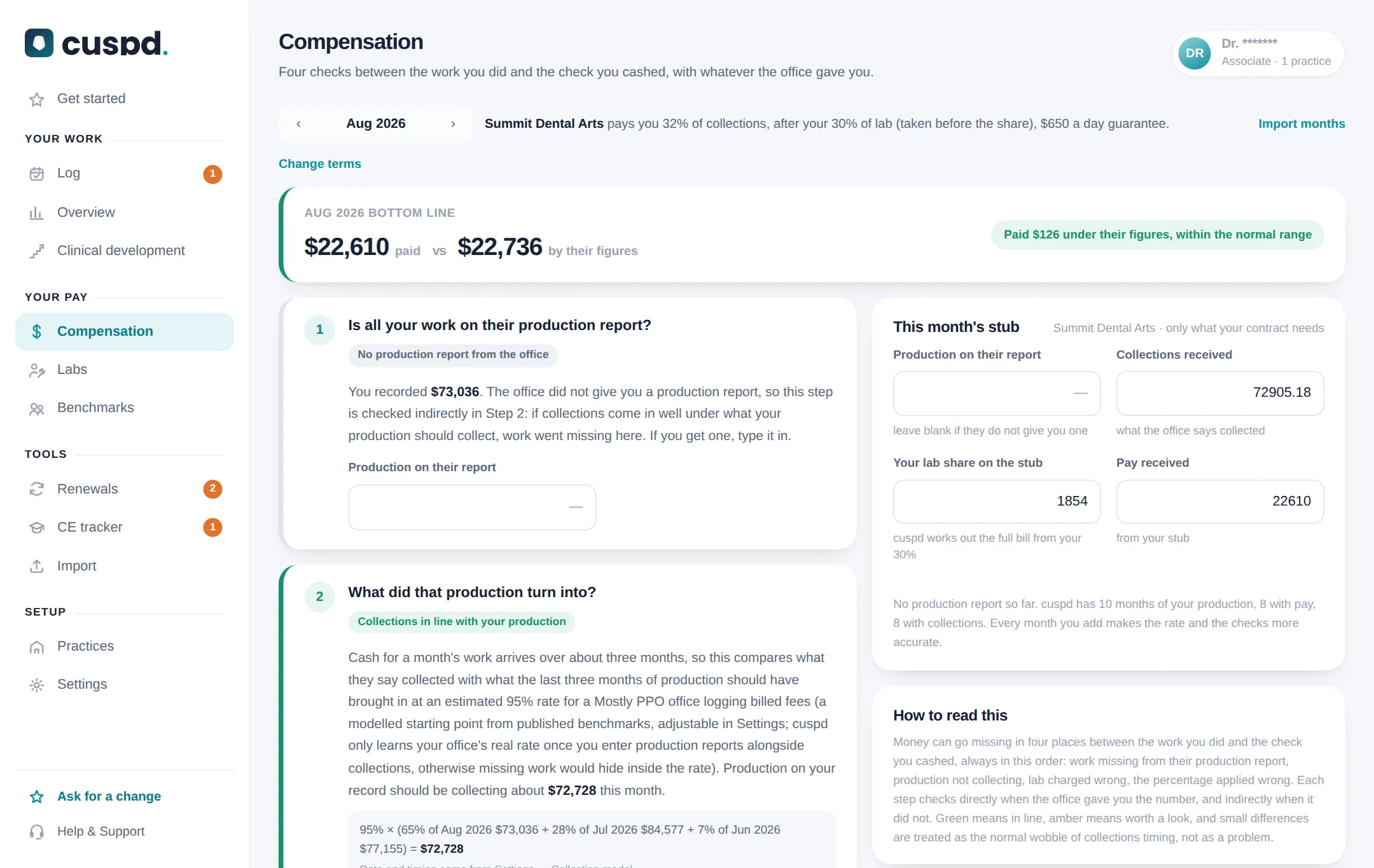
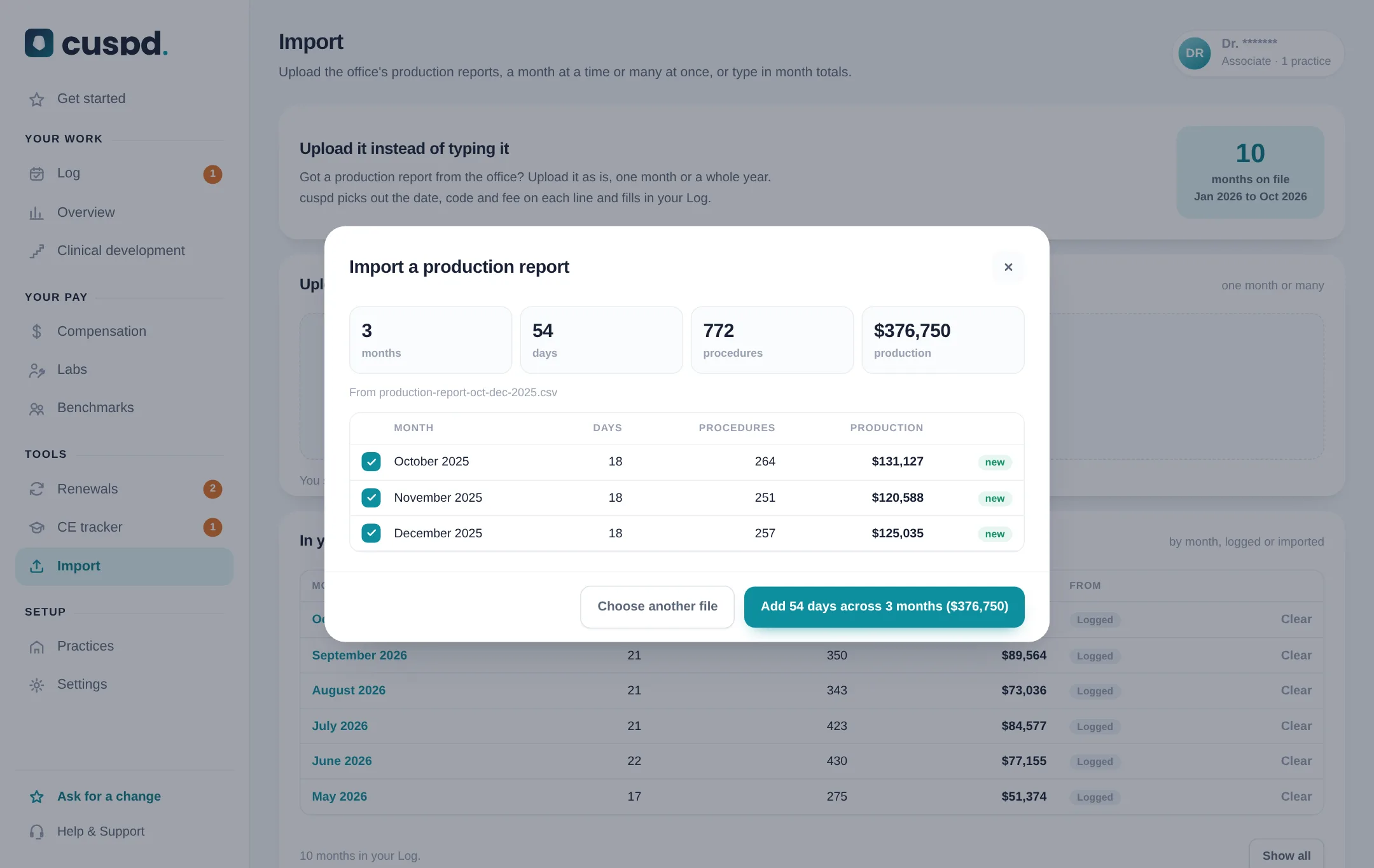
Tap + and log a visit in seconds: type the code and press Enter, or tap a saved combo. Busy day? Enter just the total. Or upload the office’s production report and skip the typing.
- Saved combos and your most-used codes, one tap each
- Fees fill in from the last time you used the code
- Quick add a day’s total when you are slammed
- Upload the office’s report for any month
- A daily or monthly goal that keeps score
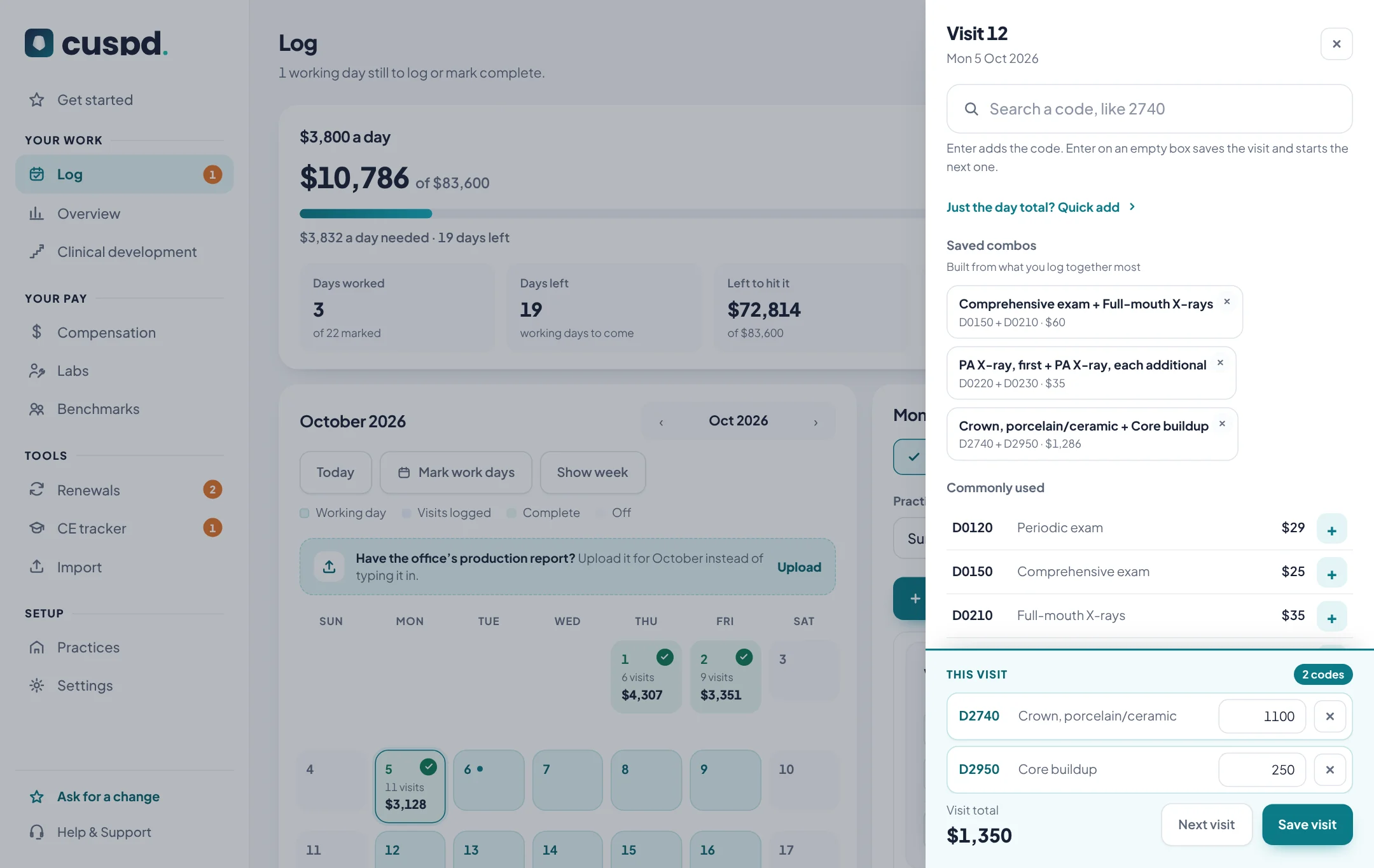
Overview
See what actually drives your production, for any range from this month to all time.
- Every category and every code
- Per day, per visit, per month
- Best days, slow days and your strongest weekday
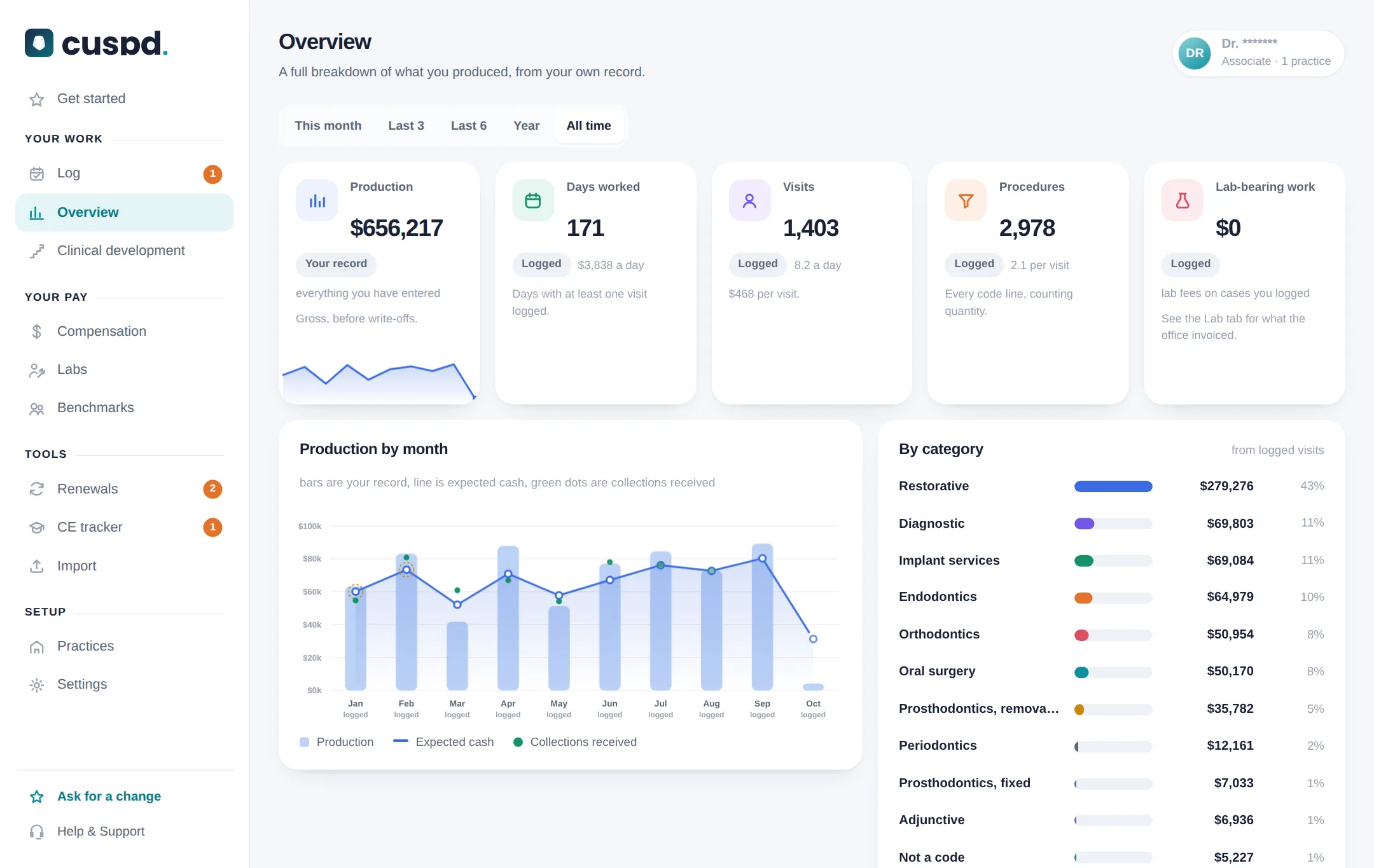
Clinical development
What kind of dentist you are becoming. What you do most and least, month against month. Pick the skills you are building, set a goal a month, and see courses for each.
- Every procedure, searchable, with its trend
- Compared only with yourself
- Goals for the year, with CE for each
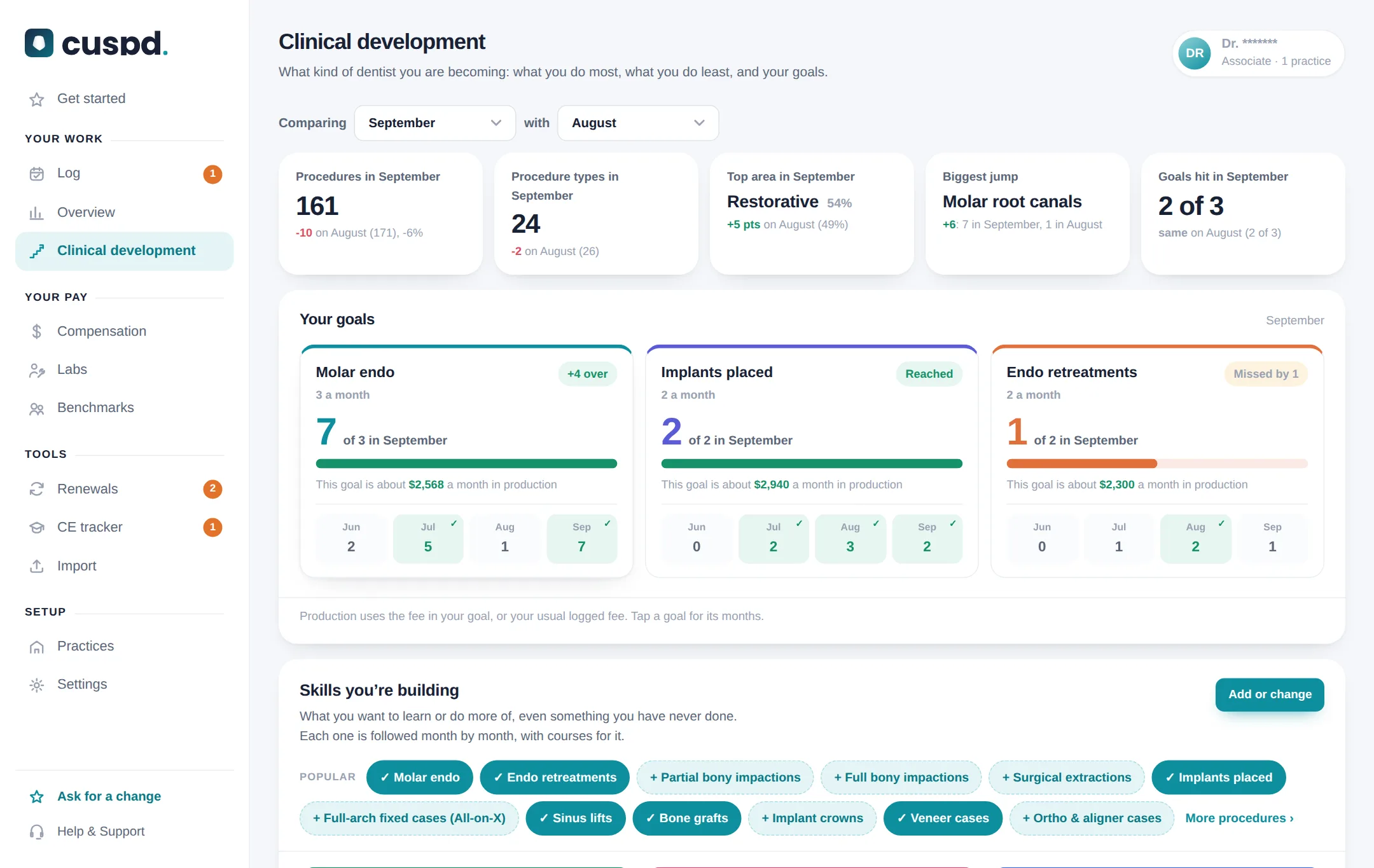
Compensation
Is the pay right? Four checks between the work you did and the check you cashed.
- The math written out under every check
- Collections or production, tiers, daily guarantees
- Your real percentage next to your contract
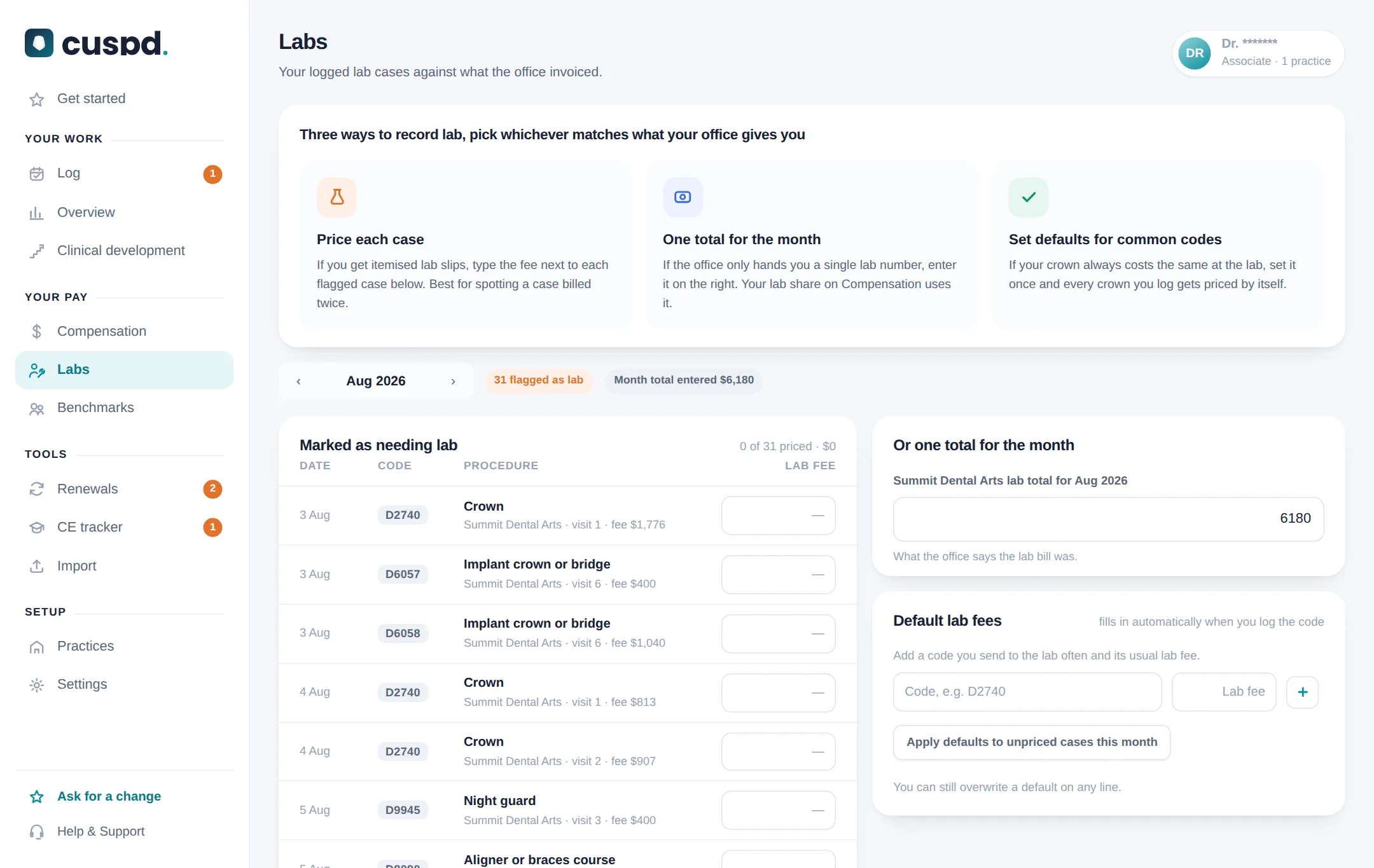
Labs
Where errors hide. Your lab cases against what the office billed.
- Price each case, or take the monthly total
- Default fees for codes you send out often
- What lab before or after your share costs you
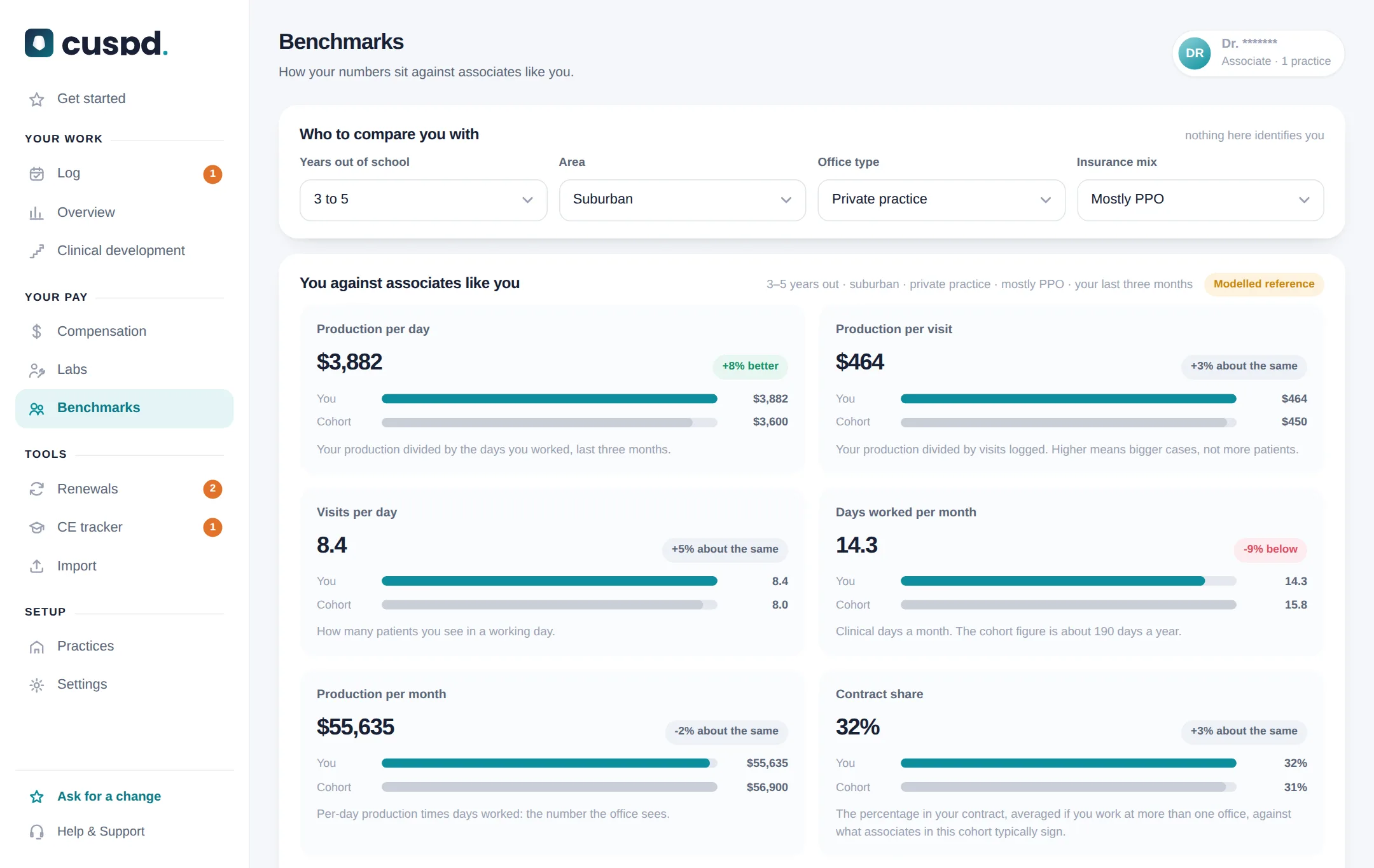
Benchmarks
Is this normal? Your numbers next to associates like you.
- Four quick questions, then you against the group
- Per day, per visit, per month
- Labelled as modelled, because it is
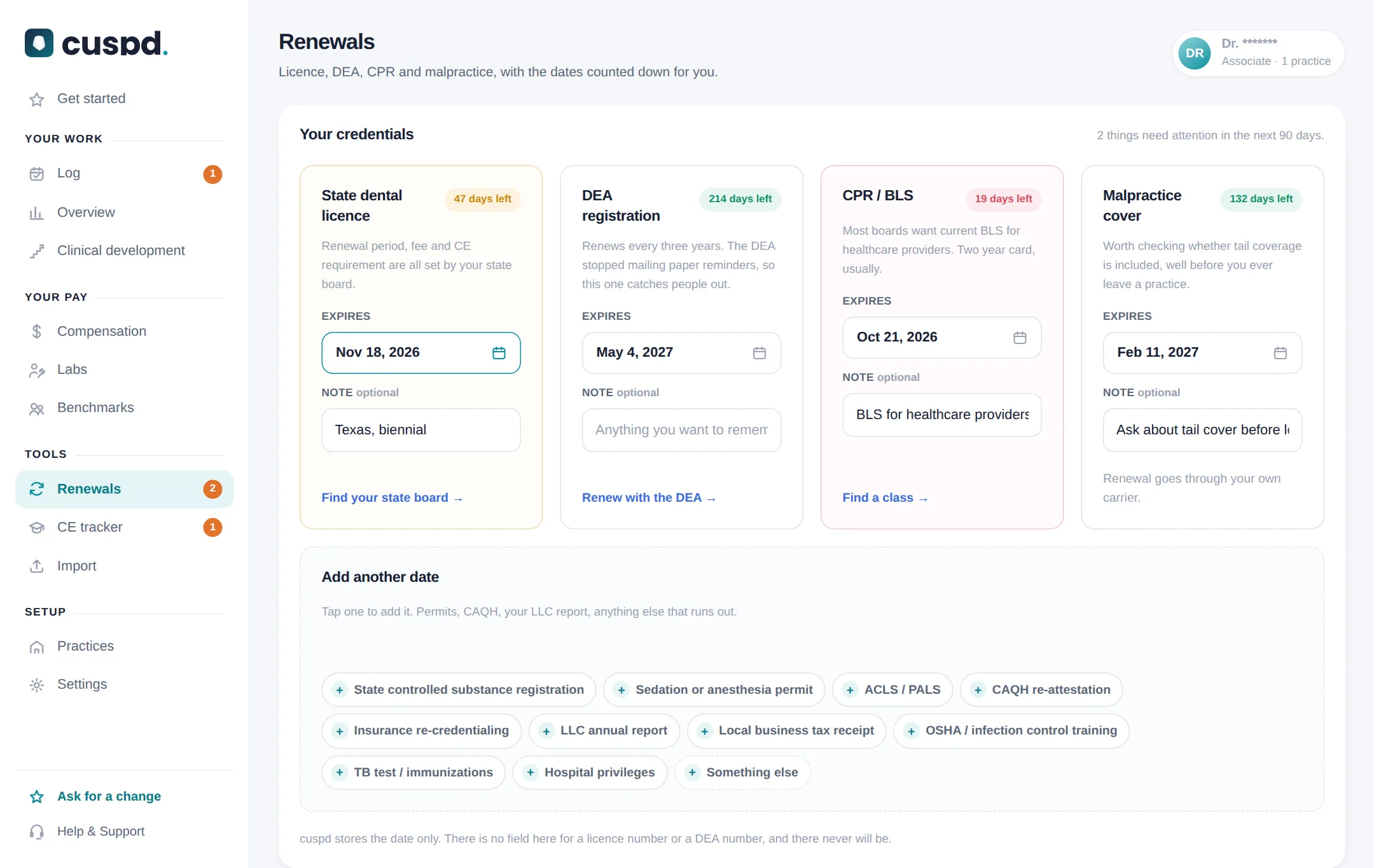
Renewals
The dates that quietly run out, counted down for you.
- Licence, DEA, CPR and malpractice
- Countdowns and renewal links in one place
- Reminders in the iPhone app
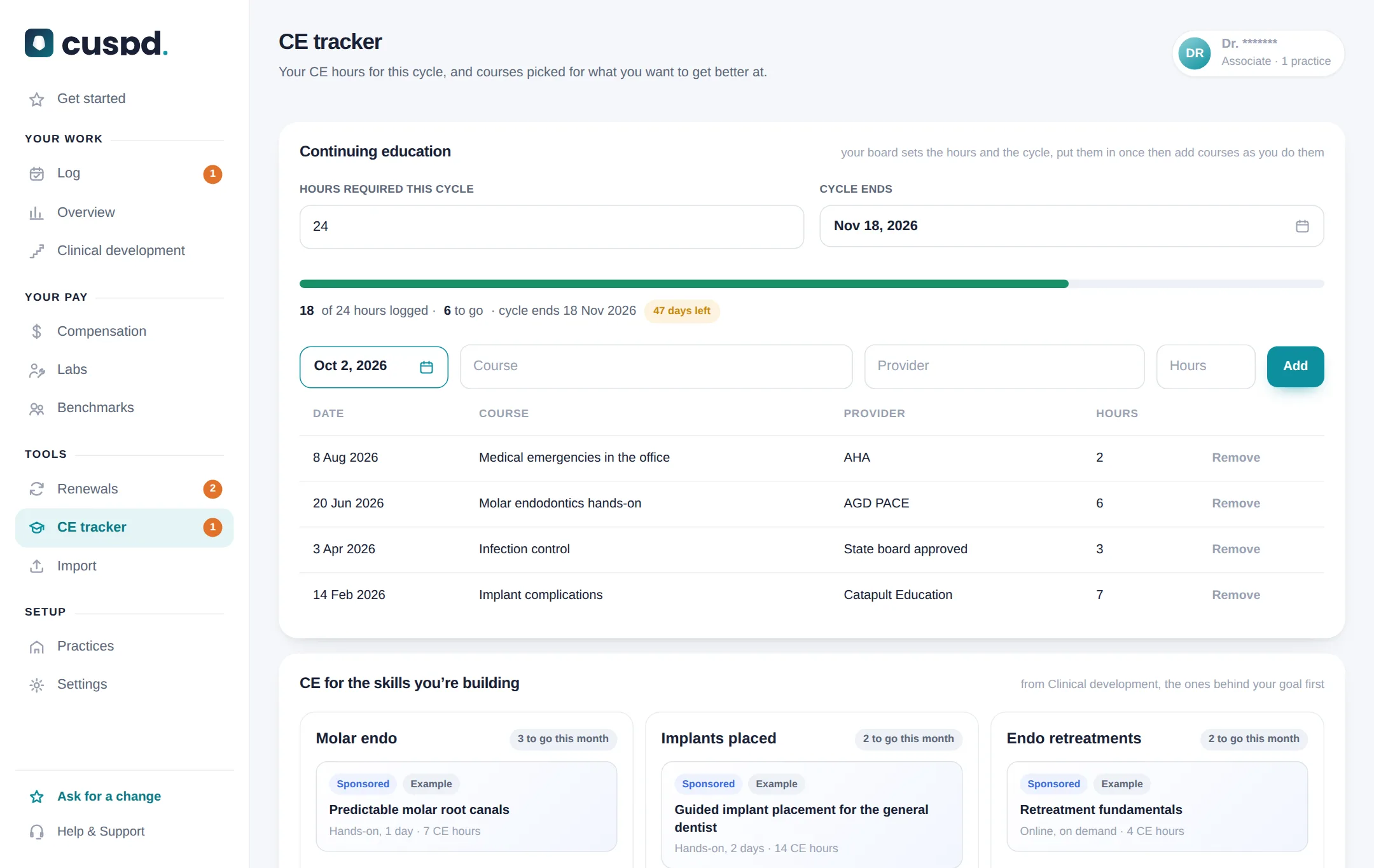
CE tracker
Your CE hours for the cycle, and what to take next.
- Hours required and cycle end, set once
- Add courses as you finish them
- Courses picked for what you want to learn
Import
Upload the production report your office gives you, and every procedure lands in your Log by day.
- Excel, CSV or PDF from Dentrix, Eaglesoft, Open Dental and others
- One month as it comes in, or a whole year at once
- Patient names are never saved, and a month can be cleared and redone
- Your history in Overview and Compensation from day one
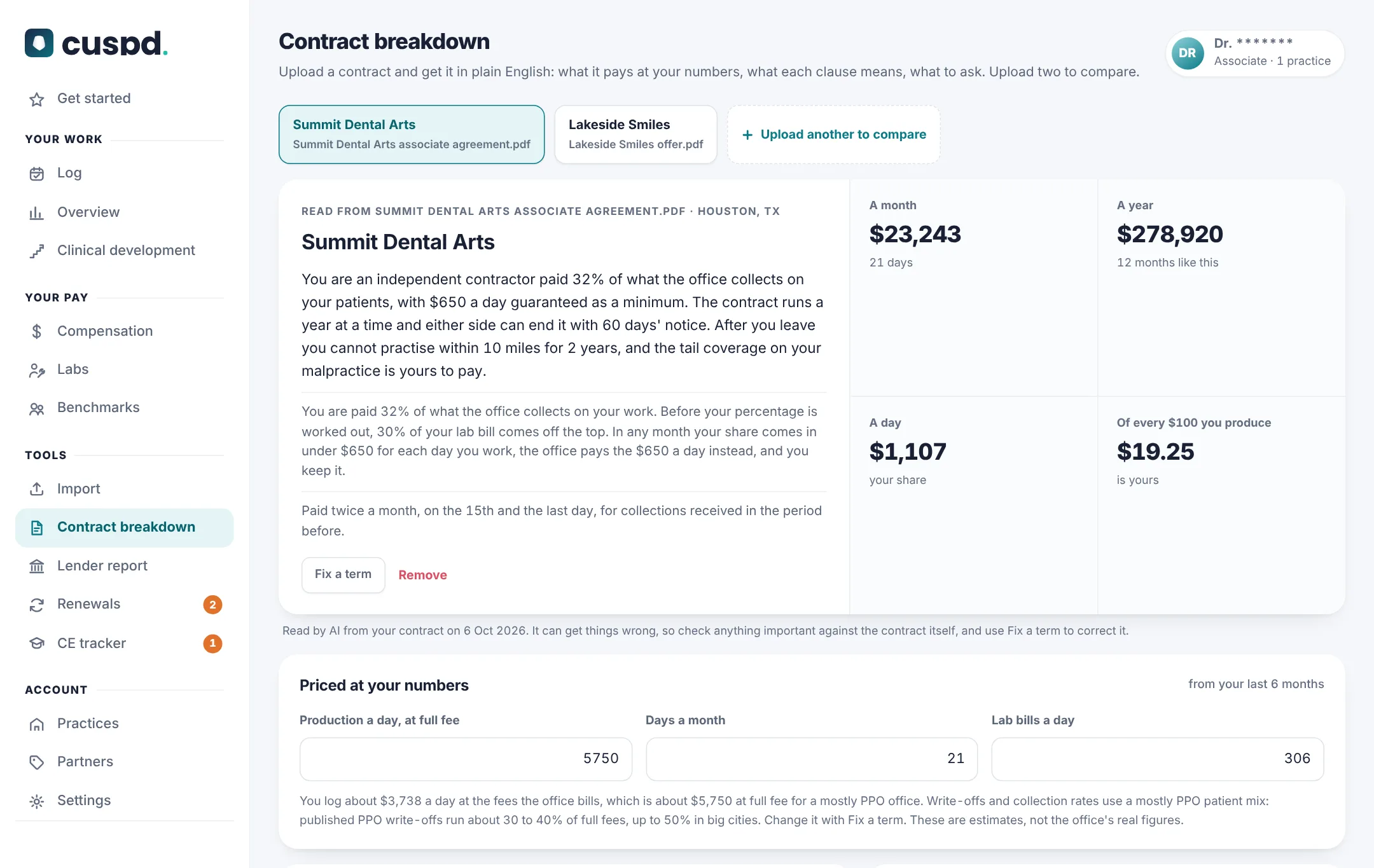
Contract breakdown New
Upload your contract and get the whole thing back in plain English, not just the pay. Upload a second one to compare them side by side.
- Every clause that matters: pay, lab, guarantee, non-compete, notice, tail coverage, benefits
- The exact wording, with what it means for you
- What it pays a day, a month and a year at your own numbers
- Questions to ask before you sign, and what the contract leaves out
- PDF, Word or photos of the pages
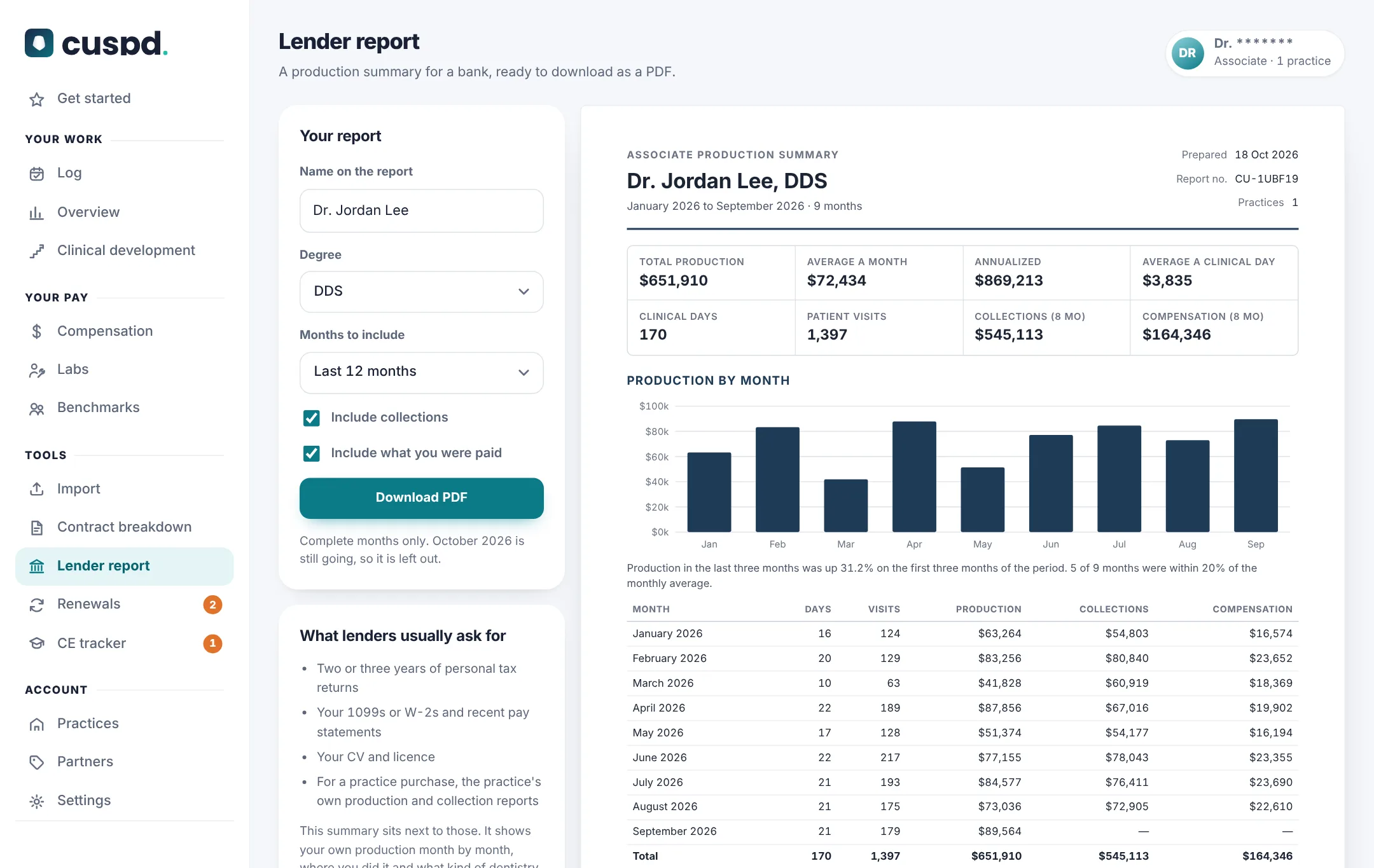
Lender report New
When you go for a practice loan or a mortgage, your income is a percentage. This shows a bank your production history in one clean PDF.
- Production month by month, with a chart
- Where you worked and the kind of dentistry you do
- Collections and pay if you want them in
- How the figures were recorded, and a line to sign
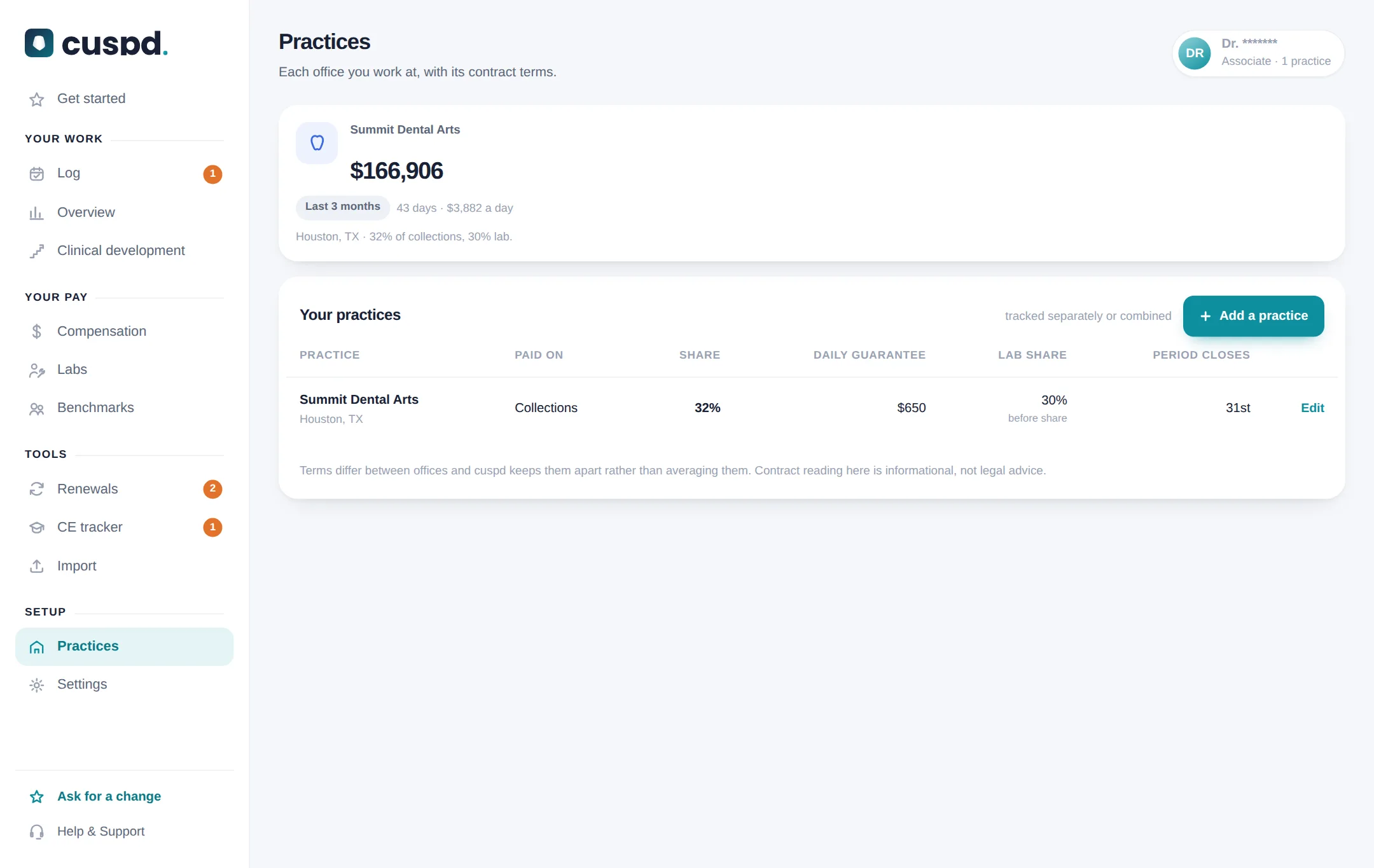
Practices
Every office you work at, with its own terms.
- Share, basis, guarantee and lab split per office
- See which office is actually worth your day
- Try an offer’s terms on your real work
cuspd is on the App Store.
Everything you use on the website, in your pocket. Plus a few things only the app can do.
- Log between patients in a few taps
- Reminders to log your day, and before your license, DEA, CPR and CE are due
- Face ID lock to keep your numbers private
- Same account. Log in and everything is already there
 Free on the App StoreGet the iPhone app

What associates say.
As an associate dentist, it can be challenging to track my individual production, clinical goals, and professional milestones. Cuspd has been a game changer for my career development with a clear, organized, real time outlook at my daily metrics and production targets. The Cuspd team is very responsive and helpful for any questions or feedback!
I'm paid on collections and I never really knew if my checks were right, I just figured it was insurance timing. Now I put in my stub each month and it shows what I should have been paid vs what I actually was paid, with the math! Most months it's close, but it caught a month where my lab deduction was taken twice! That one month made up for the time I've spent logging.
For the longest time I had no idea what produced until the check came, and by then couldn't even remember what that month looked like. Now I log my day in about a minute, or l upload the report from the office at the end of the month, and I can see my production by day, by procedure, month to month. If I have a light month I know exactly why, it saves me from always wondering if it was me.
One day I hope to own my own practice. And before, the only things I could ever really show a bank were my tax returns. Now I see my production really bulds month by month, and I can give a Lender a clean PDF report to give to a lender. And I really like seeing the benchmarks to know where I sit compared to other people who are my experience and in the kind of office I'm in. That was really encouraging because it made it all feel a lot more real.
I've been making an effort to do more endo and implants, but I had no way of knowing if I was actually doing more. I picked the procedures I'm trying to focus on, and it tracks them month to month based on what I'm logging. To see my molar endos go from one or two per month to five gave me a big boost, and helped me figure out what CE was worth
Verified means an active cuspd account holder who sent us the review directly. Shared word for word, with their permission, under the name they chose.
100% free.
Every section, every practice you work at, free for associates. No card, no trial clock, nothing to cancel. Make an account and it is yours.
Sponsored CE courses, always marked as sponsored, help keep cuspd free. Sponsors never see your record.
- Unlimited practices and contracts
- Log, Overview, goals and benchmarks
- Compensation checks and lab
- Clinical development
- Renewals, CE tracker and report import
- Contract breakdown and lender report
- Excel export any time
The ones people ask first.
My office only gives me a collections report. Does this still work?
Yes. cuspd checks it the indirect way: if collections come in well under what your production should bring in over three months, work went missing somewhere. It also tells you which report to ask for.
I have been an associate for years and never kept anything. Is it too late?
No. Ask the office for your production report for the last year and upload it, or type the month totals from your stubs. The pay checks start working at three months.
Is it really free?
Yes, 100% free. Every section is free for associates, with no card and no trial. Some CE courses in Clinical development are sponsored and always say so; that is part of how cuspd stays free. Sponsors never see your record.
Isn’t this accusing my office of something?
No. It is your own record of your own work. Most months are green. When one is not, you have a polite question with a number in it.
How long does logging take?
About a minute a day. Tap +, type the codes or tap a saved combo, and save. Busy day? Enter just the day’s total. Missed a day? Tap it later.
My office gives me a production report. Do I still have to type everything?
No. Upload it, Excel, CSV or PDF, a month at a time or a whole year at once, and each procedure goes into your Log by day. You see it all before anything is added, and you can undo it or clear the month and redo it. Log by hand, upload, or mix both, whatever is easier.
What is Clinical development?
It turns the procedures you log into a picture of your clinical work: what you do most and least, your mix by area, and every procedure this month against last. You pick the skills you are building, even something you have never done, and it follows each one month by month with courses for it. Add a number to make it a goal. You are only compared with yourself, and it counts what you logged in cuspd, not your whole career.
Can cuspd read my contract?
Yes. Upload it on Contract breakdown as a PDF, a Word file or photos of the pages, and the whole contract comes back in plain English: every clause that matters, from pay and lab to non-compete, notice, tail coverage and benefits, with the exact wording, what it means for you, what it pays at your numbers and what to ask before you sign. Upload a second one to compare them. It is read by AI, so check anything important against the contract itself, and it is not legal advice. The file is not kept, only the terms it found.
What is the lender report for?
When you apply for a practice loan or a mortgage, your income is a percentage, and a bank wants to see your track record. The lender report turns your record into a clean PDF: production month by month, where you worked and the kind of dentistry you do, with collections and pay if you choose. Lenders still ask for tax returns and 1099s; this goes next to them.
Are the CE courses ads?
Some are sponsored and always say so. They are matched on your screen from what you picked and what you log. Sponsors never see your record.
Do I have to enter patient names?
You cannot. There is no field for one. Visits are numbered. If you upload the office’s report, any names on it are only used to group procedures into visits and are never saved.
Can I take my data with me?
Yes. Export it to Excel any time from Settings. Your record is yours.
Start today.
100% free. No card. A few minutes a day. Your numbers, for you.
Everything an associate dentist ends up asking.
Your work
Clinical growth
Licences and renewals
Pay and contracts
- How associate dentist pay actually works
- Production vs collections: 30% of what, exactly?
- Is lab taken out before or after your percentage?
- A guarantee is a floor. A draw is a loan.
- Tiered contracts: crossing the tier, or re-rating the month
- Your contract says 32%. What actually reached you was 26%.
- What to ask before you sign an associate contract